Ontologies
The ontology module connects your local controlled vocabulary to official ontology terms — from the EBI Ontology Lookup Service (OLS) or defined by hand for sources that are not on OLS (such as the ENA sample attributes).
Linking a CV Term to an Ontology Term gives it a stable identifier (e.g.
EFO:0009901, CLO_0037280, CHEBI:27958) on top of its label. That identifier is what
makes the data reusable: ready for ENA submission, comparable across omics, and unambiguous
when a label is later corrected.
See also
The Vocabulary Management overview explains how CV Category, CV Term,
Ontology and Ontology Term relate to each other.
Concepts
| Object | What it is |
|---|---|
Ontology |
A source (EFO, Cell Ontology, ENA, …). Carries a code, homepage, OLS URL and version. |
Ontology Term |
A single concept from an ontology, with its term id and label. Stored in LabID only once it is linked to a vocabulary term. |
| Default category | Every ontology has exactly one. A matching CV Term is created there whenever one of its terms is imported. |
| Allowed sources | A CV Category can list several ontologies. Term search and import on that category are limited to those ontologies. |
CV Term ↔ Ontology Term and CV Category ↔ Ontology are both
many-to-many relationships.
Creating an ontology UI · Admin only
Only administrators can create or edit ontologies. Go to Vocabularies > Ontologies and use
the New Ontology button.
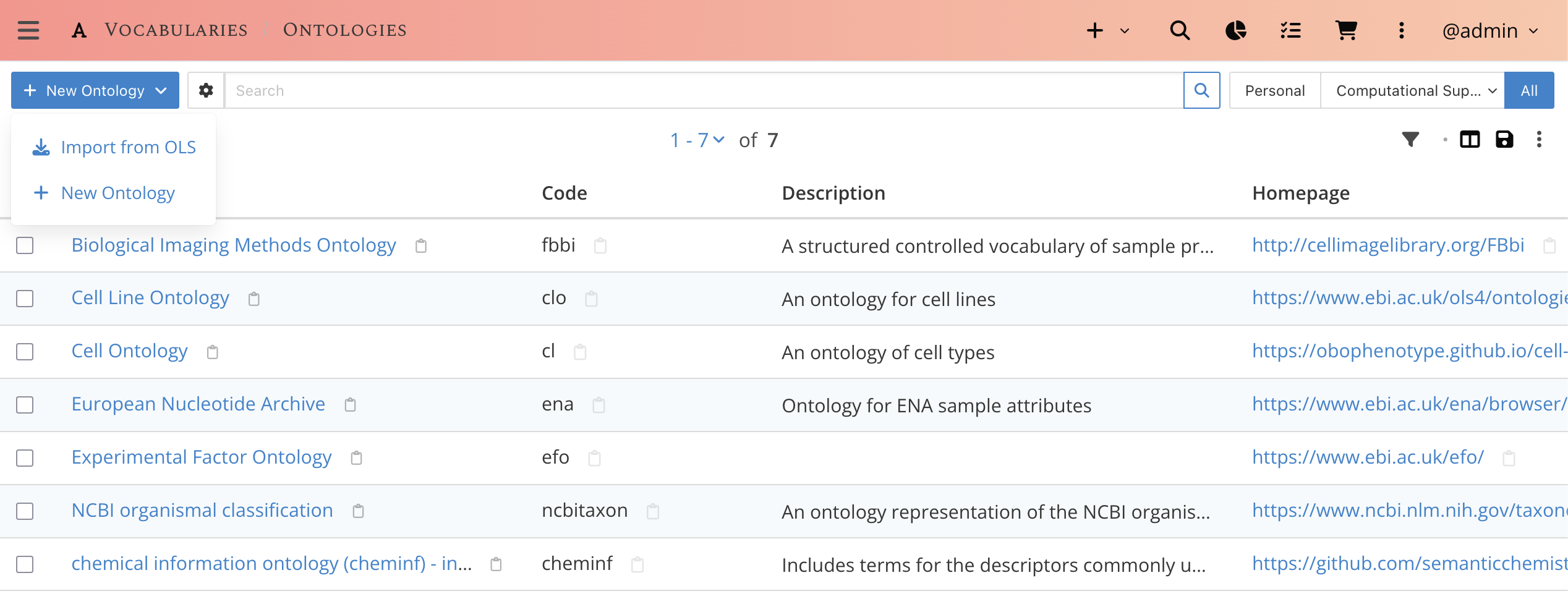
Vocabularies > Ontologies list. Imported ontologies keep an imported marker.Import from EBI OLS
New Ontology›Import from OLS. Search the OLS catalogue (e.g. for keyad). Each row shows its id, description and term count. Pick an ontology from the results by clicking on Import.
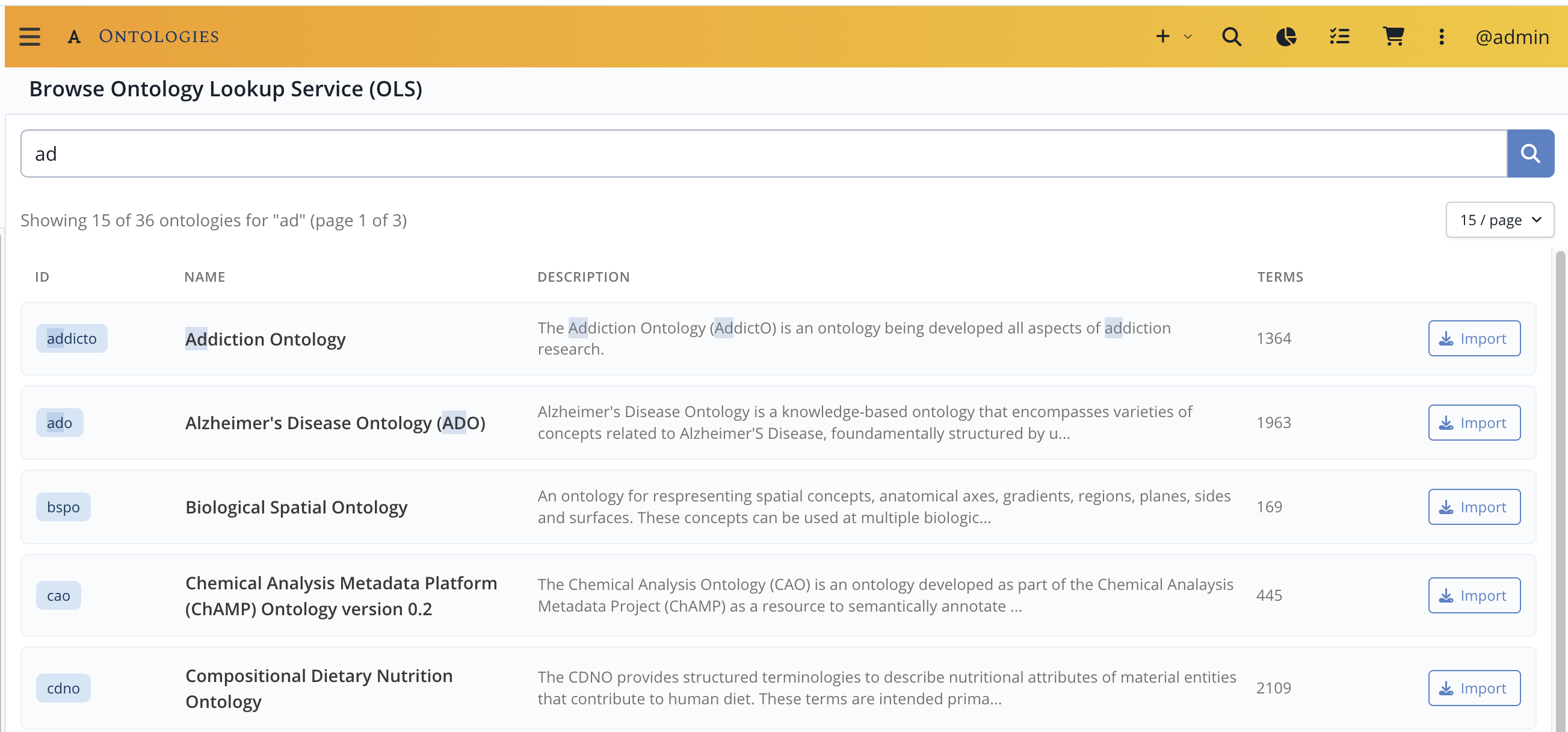
- Next, choose the default CV Category under
Assign Categories: link to an existing category or create a new one (named after the ontology code). This becomes the ontology's default category. - Click
Importto finalize the import.
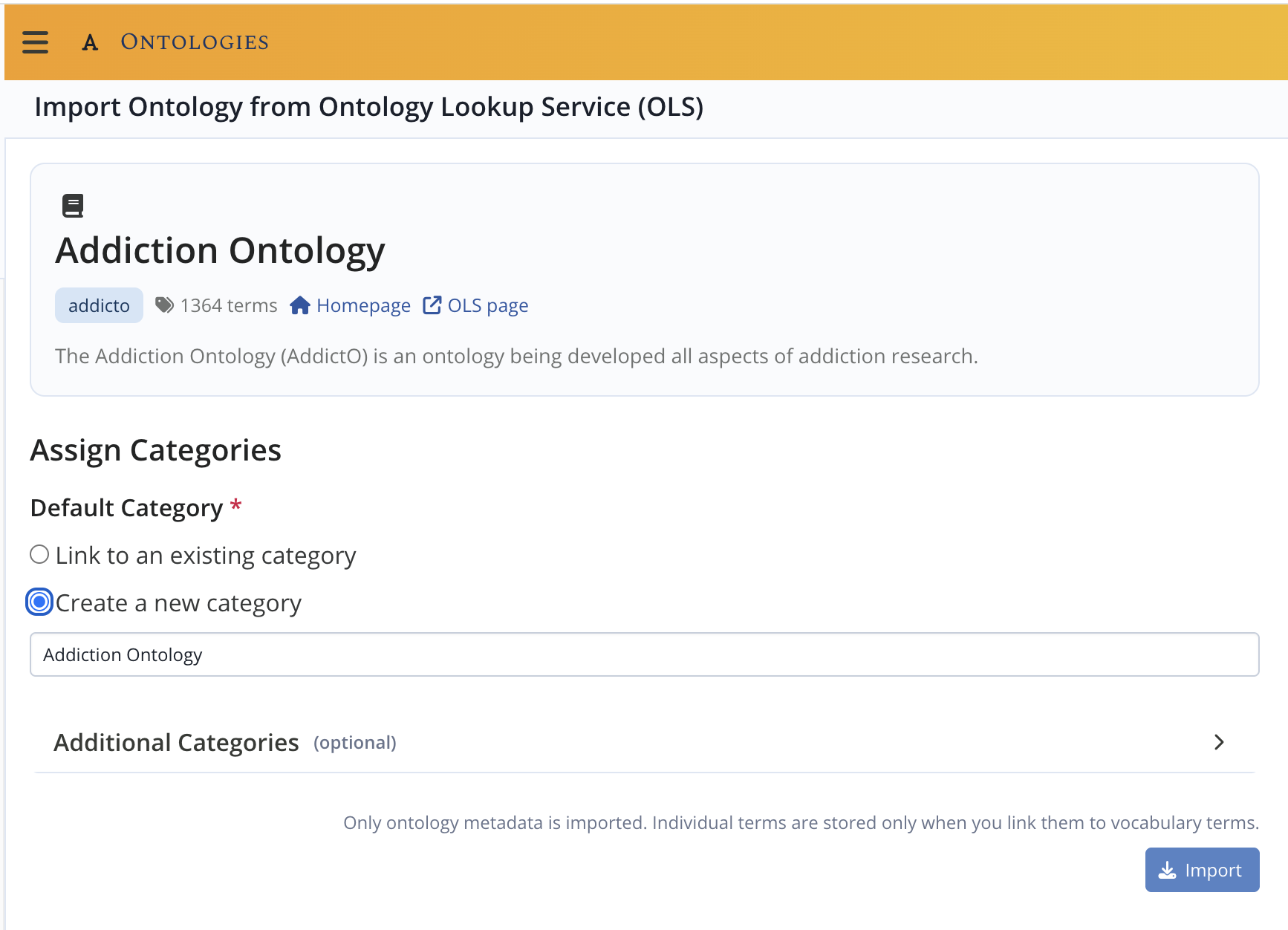
Importing an ontology does not import its terms
An ontology can hold tens of thousands of terms. The import only brings in the ontology itself. Terms are added on demand — one by one from Search & Import from OLS, or in bulk from Batch Link Terms.
Create from scratch
New Ontology › New Ontology creates an ontology manually. Use it for sources that are not on OLS — for instance the vocabularies used by the ENA.
Provide a name, a code, a description and (optionally) a homepage, and assign the default category as above.
Its terms are then added manually from Vocabularies > Ontology Terms > New Ontology Term.
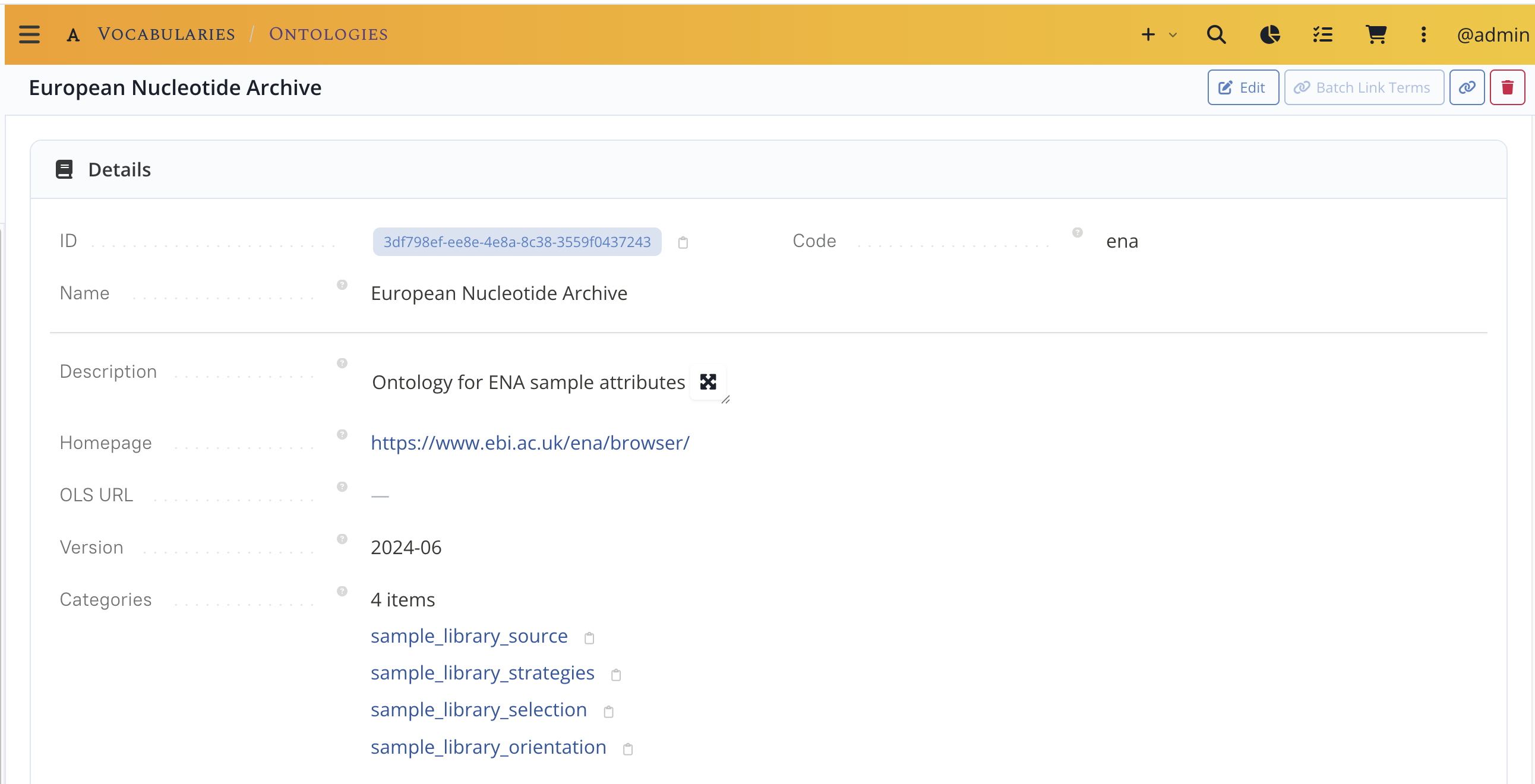
Linking a CV category to more ontologies
The category page is the starting point.
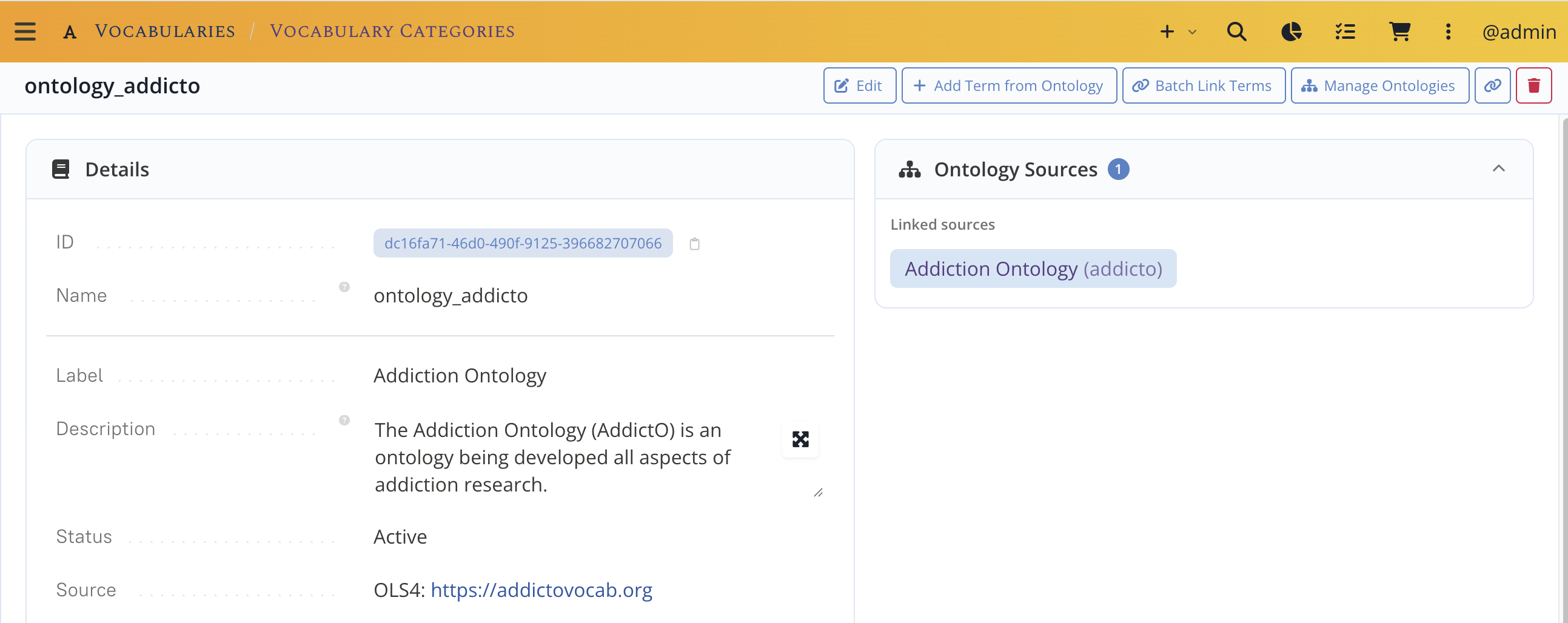
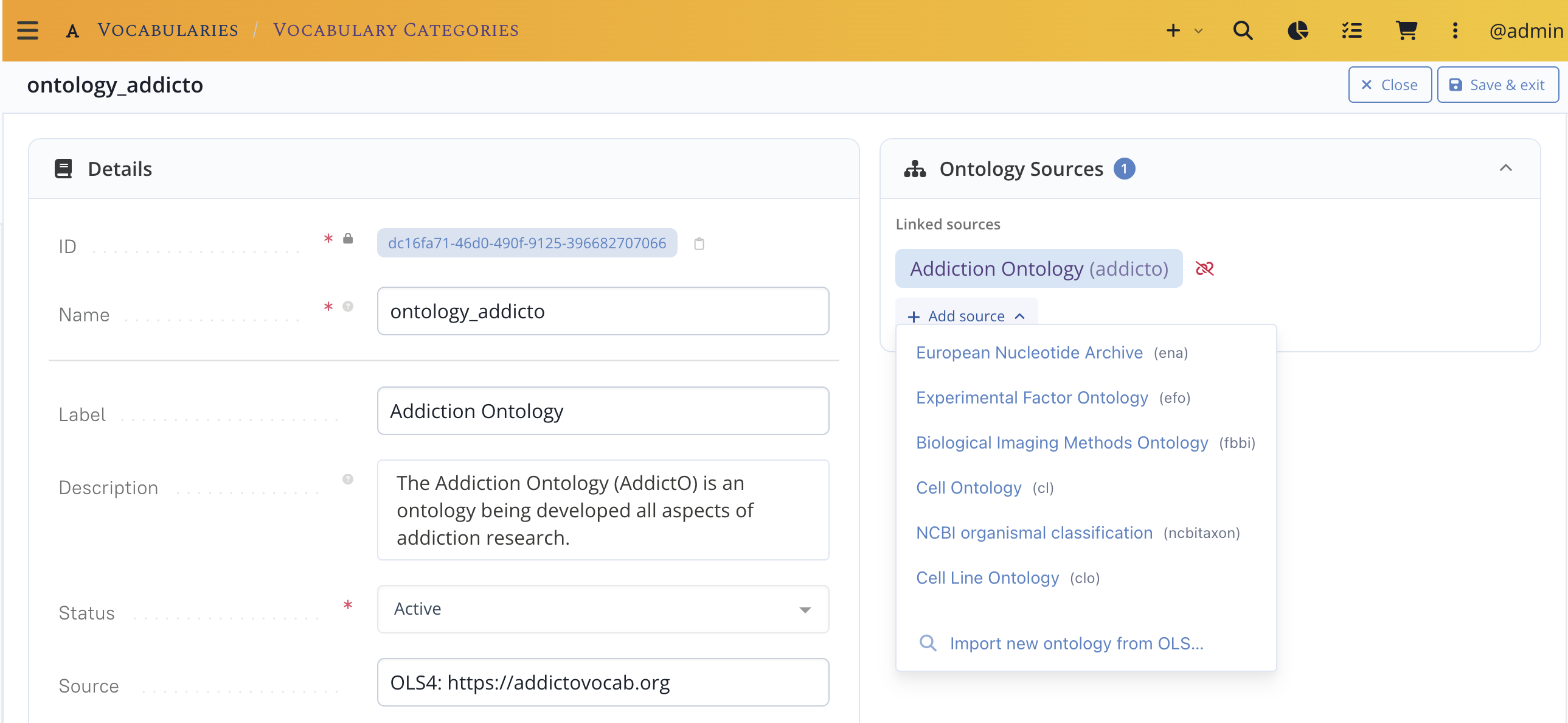
Use Manage Ontologies button to add or remove ontologies from the ontology sources.
Importing ontology terms
Search & import from OLS UI · Admin only
Who can do this
Searching the EBI OLS is open to every authenticated user, but importing a term (which also creates a vocabulary term) is currently reserved to administrators. Regular users request new terms from an admin.
From Vocabularies > Ontology Terms, use New Ontology Term › Search & Import from OLS.
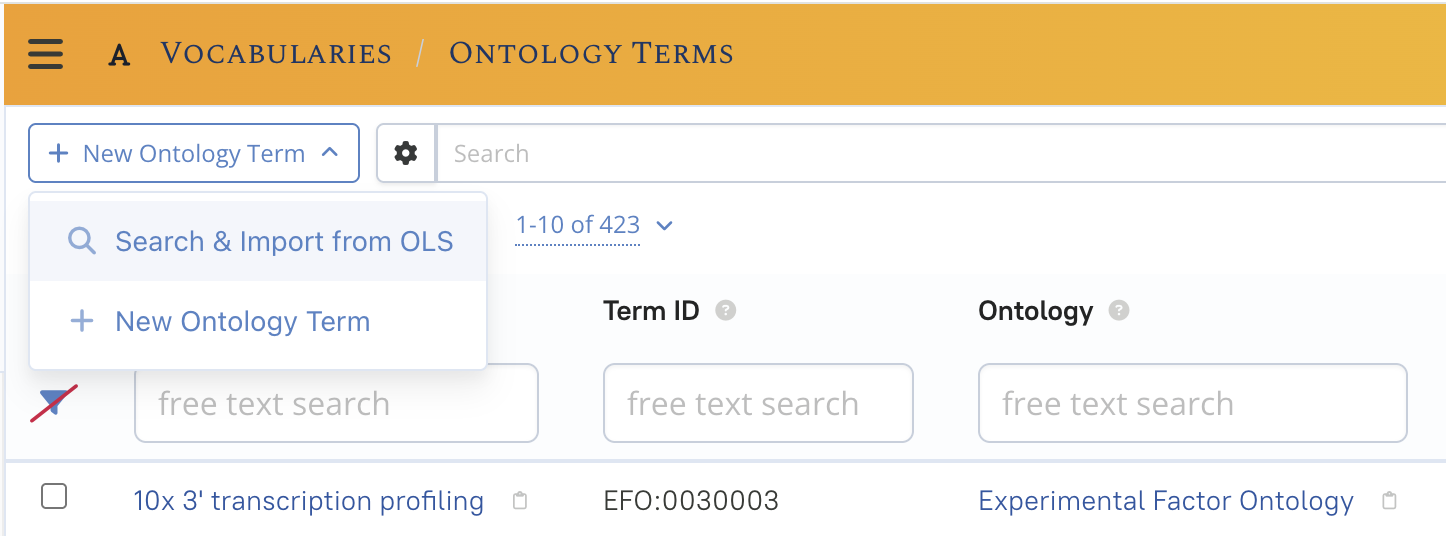
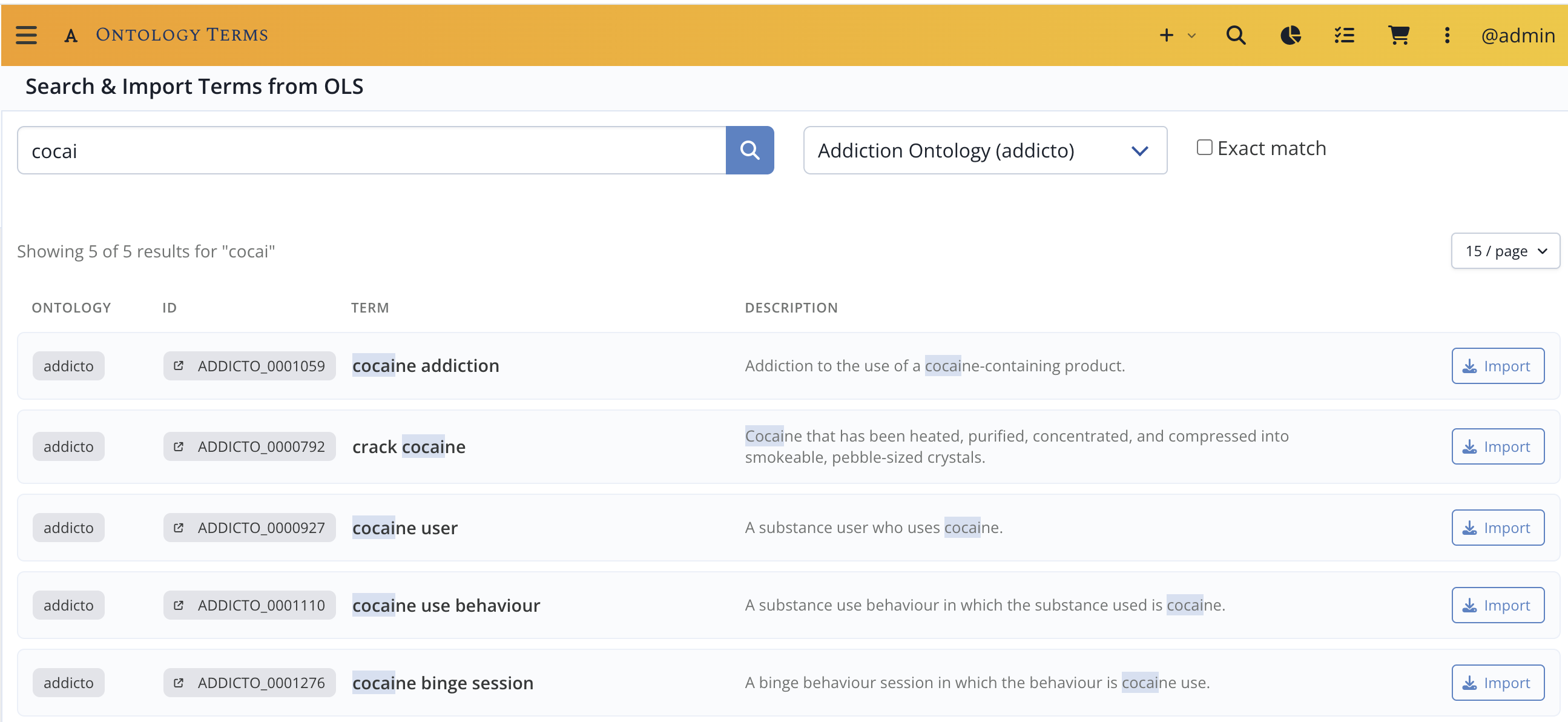
Ontology Terms list, with the import menu open.Type a query, optionally restrict it to one ontology and tick Exact match. Results show the label, ontology, term id and whether the term is obsolete. Terms already present in LabID are flagged, along with the vocabulary terms and categories that use them.
Pressing Import on a row:
- stores the
Ontology Term, and - creates a matching
CV Termin the ontology's default category, with itsdbxref_idset to the OLS short id (e.g.CHEBI:27958).
You stay on the search page so you can import several terms in a row.
Correct attribution
OLS also returns terms an ontology merely re-uses. LabID only lets you import a term into the ontology that actually defines it, so a scoped search may return fewer results than the raw OLS website — this is expected.
Ownership of imported terms
Ontology terms, and the vocabulary terms created alongside them, are always public.
Their ownership follows the container (the Ontology or the CV Category); the admin
who ran the import is recorded as the creator.
Letting users import terms — planned
Allowing regular users to add a missing term straight from an approved ontology —
opt-in per CV Category, with the OLS search restricted to that category's linked
ontologies — is on the roadmap but not available yet. Until then, term import
stays with administrators.
Linking vocabulary terms to ontology terms UI · Admin only
Linking existing vocabulary terms to ontology terms is reserved to administrators.
Single link
From a CV Term page, Link to Ontology lets you search the category's allowed
ontologies and link (or unlink) an ontology term. A vocabulary term can hold one link
per ontology, but links to several different ontologies.
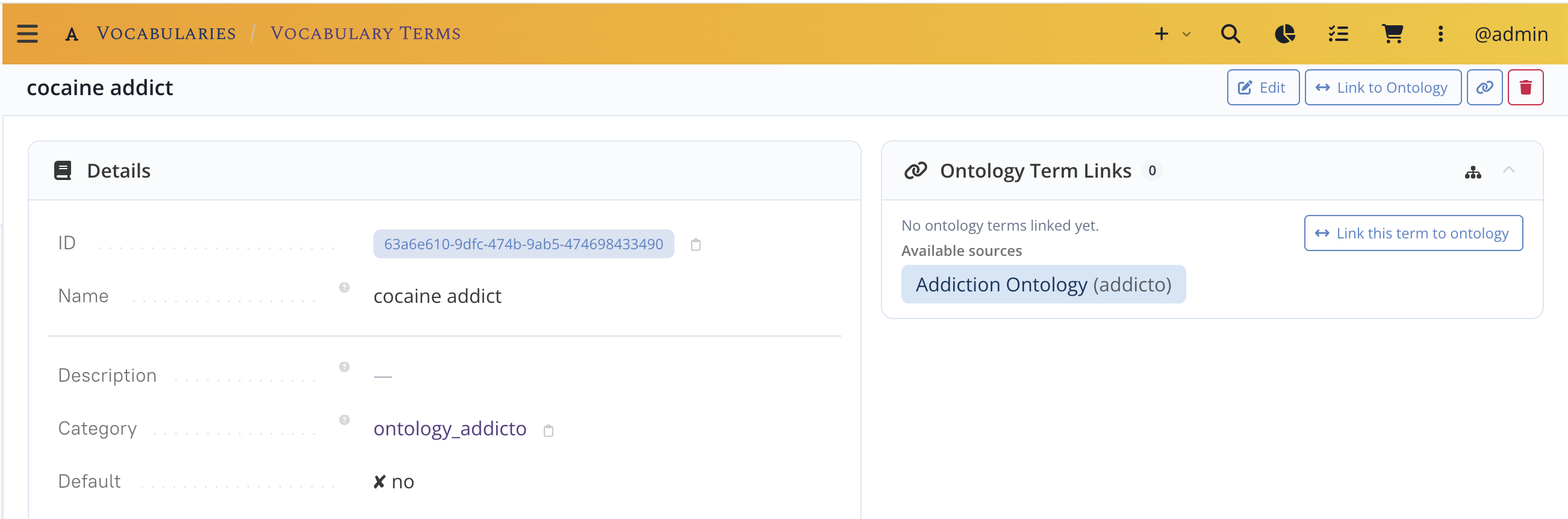
In the right panel, click the Link this term to Ontology button, use the search bar to look for e.g. cocai.
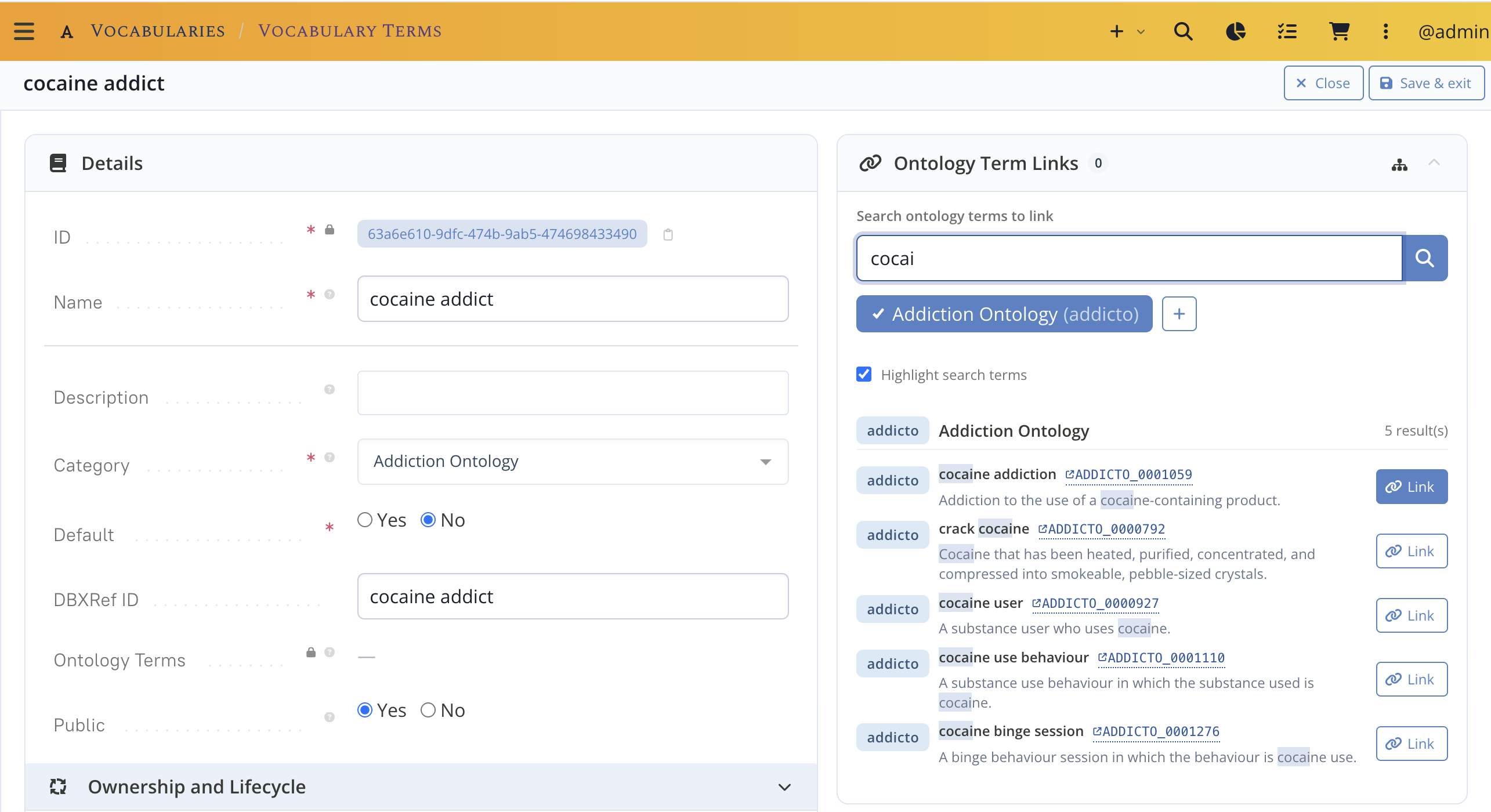
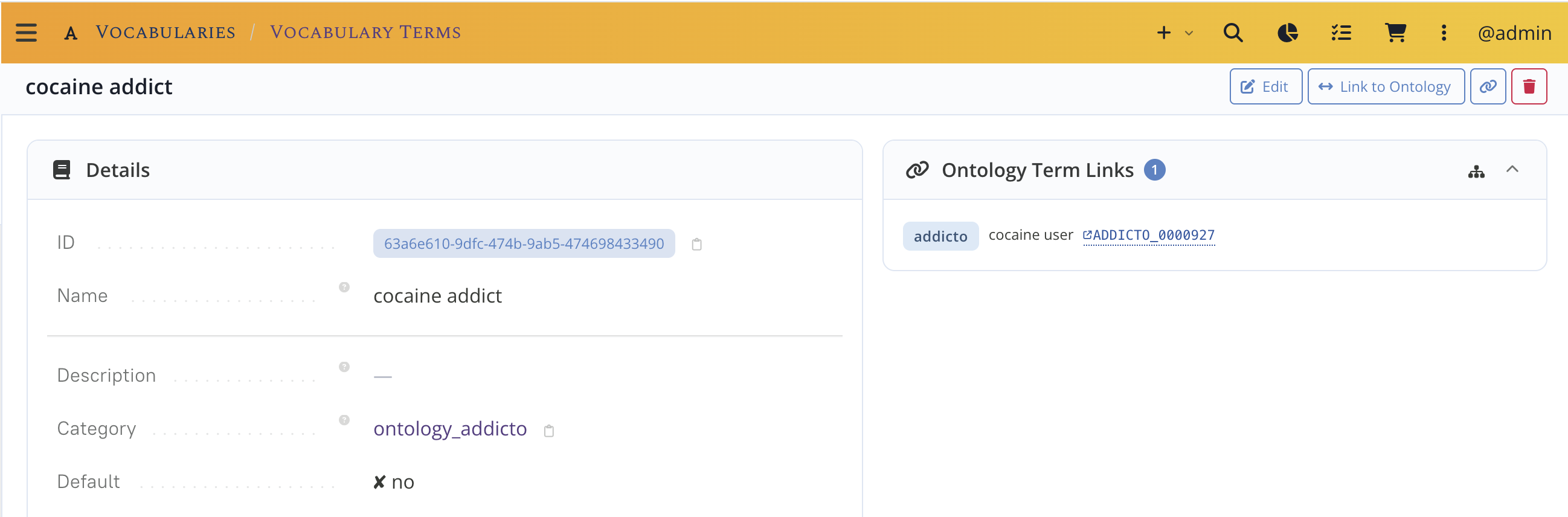
Click the ontology term to link it to the term (here we chose cocaine user).
Batch link
Batch Link Terms processes a whole category at once. Start it from:
- an
Ontologypage — covers every category linked to that ontology, or - a
CV Categorypage — scoped to that category; you first pick which of its linked ontologies to match against.
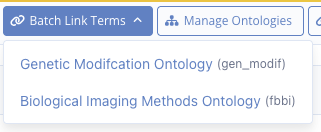
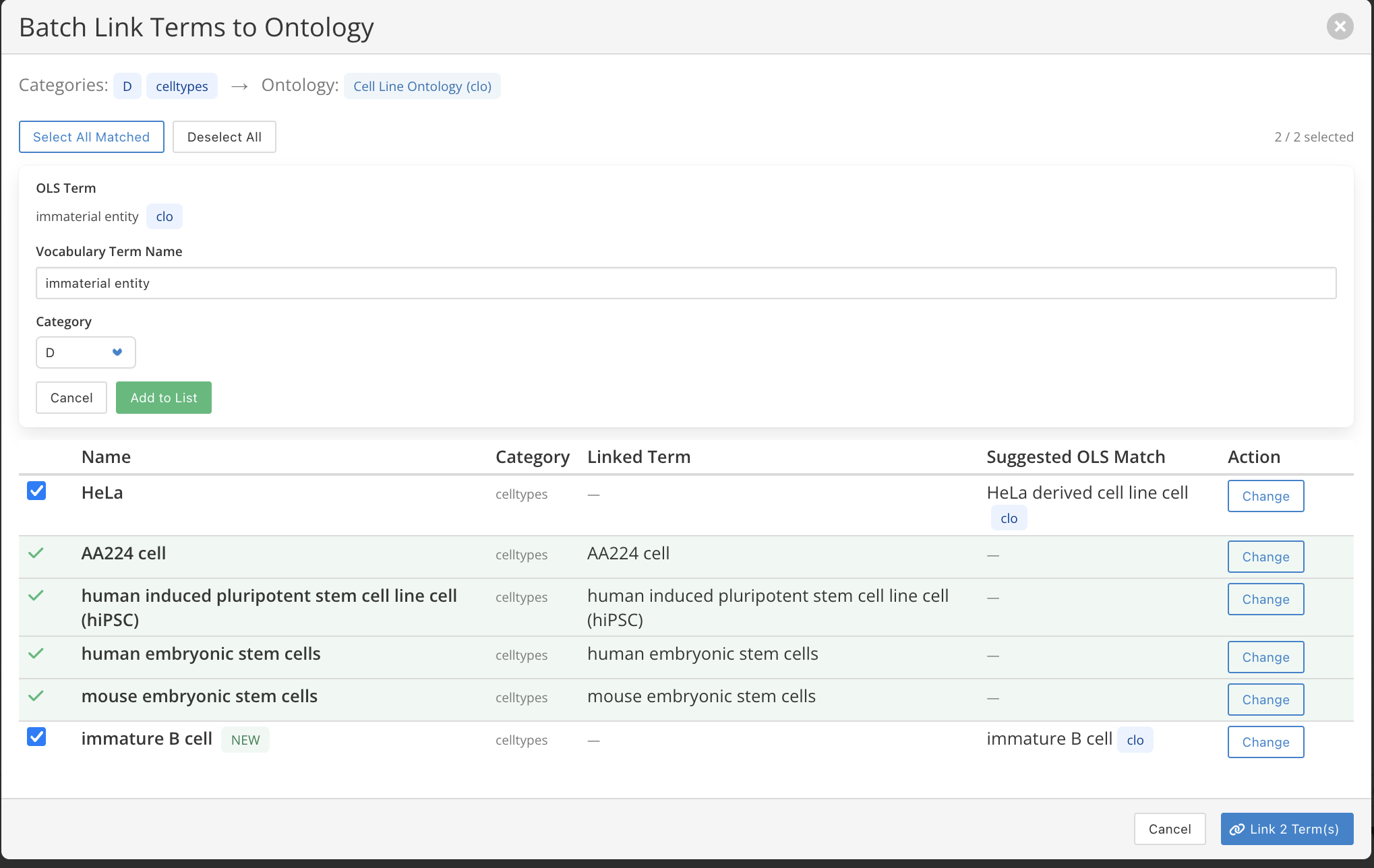
In the modal, LabID searches OLS for every term in the category and proposes a match:
- The table columns are
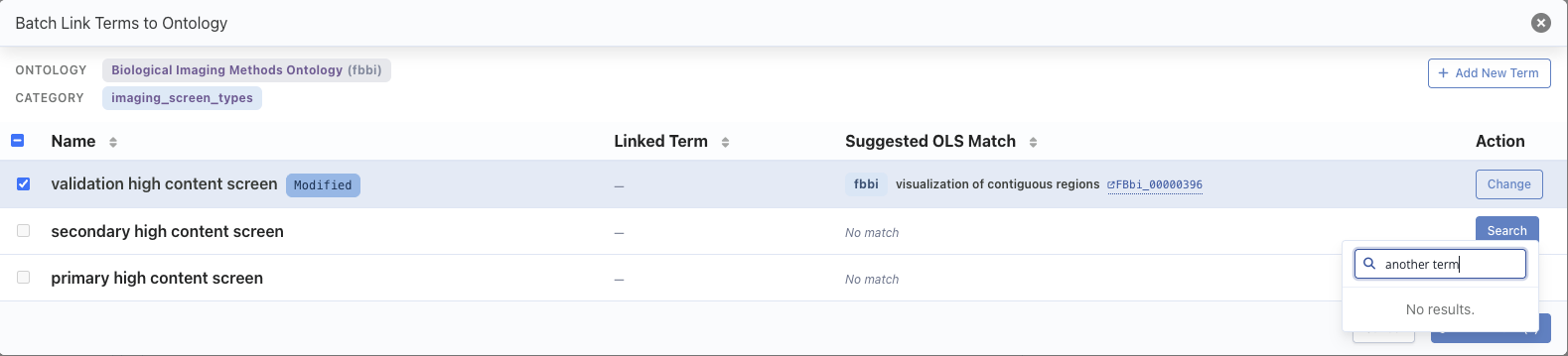
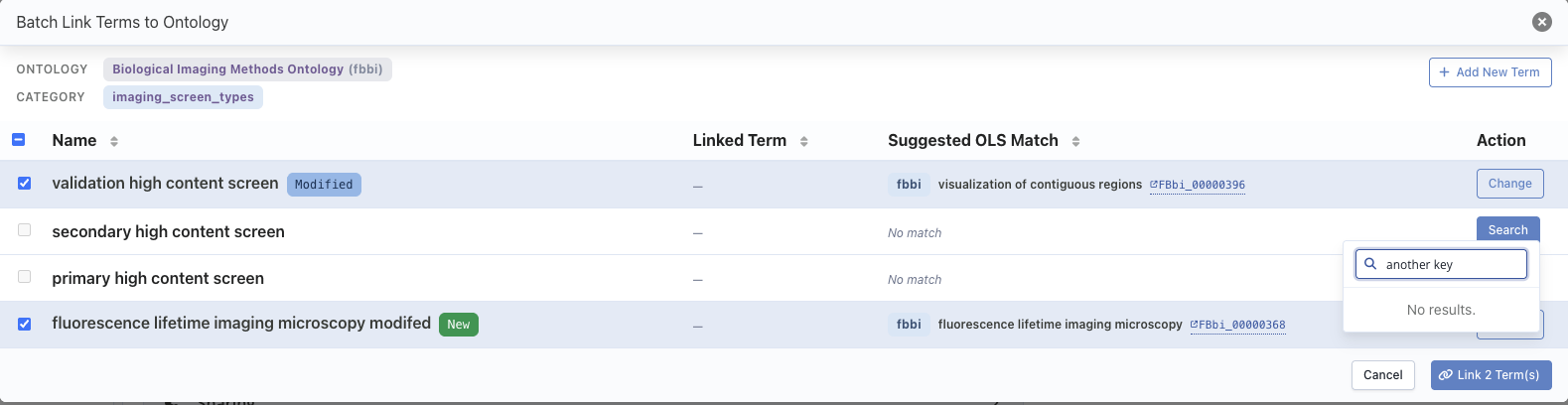
Term Name,Term Category,Linked Ontology TermandSuggested OLS Match. Select All Matched/Deselect Allto pick the rows to link.Change/Searchon a row to adjust the proposed match. Editing the search text marks the row with aModifiedtag.Add New Termfinds an OLS term and adds it as a brand-newCV Term(taggedNew) linked to that ontology term.Link N Term(s)commits the selection. Already-linked terms can be hidden or shown.
When no match is found, you can still adapt the search term live, in which case a Modified tag is visible:
Modified.The Add New Term button at the top right allows to find an ontology term and add it immediately as a new CVTerm linked to this ontology term
Add New Term is tagged New.The result is visible on the Ontology Terms panel of the ontology, and in the Ontology
column / links on each vocabulary term.
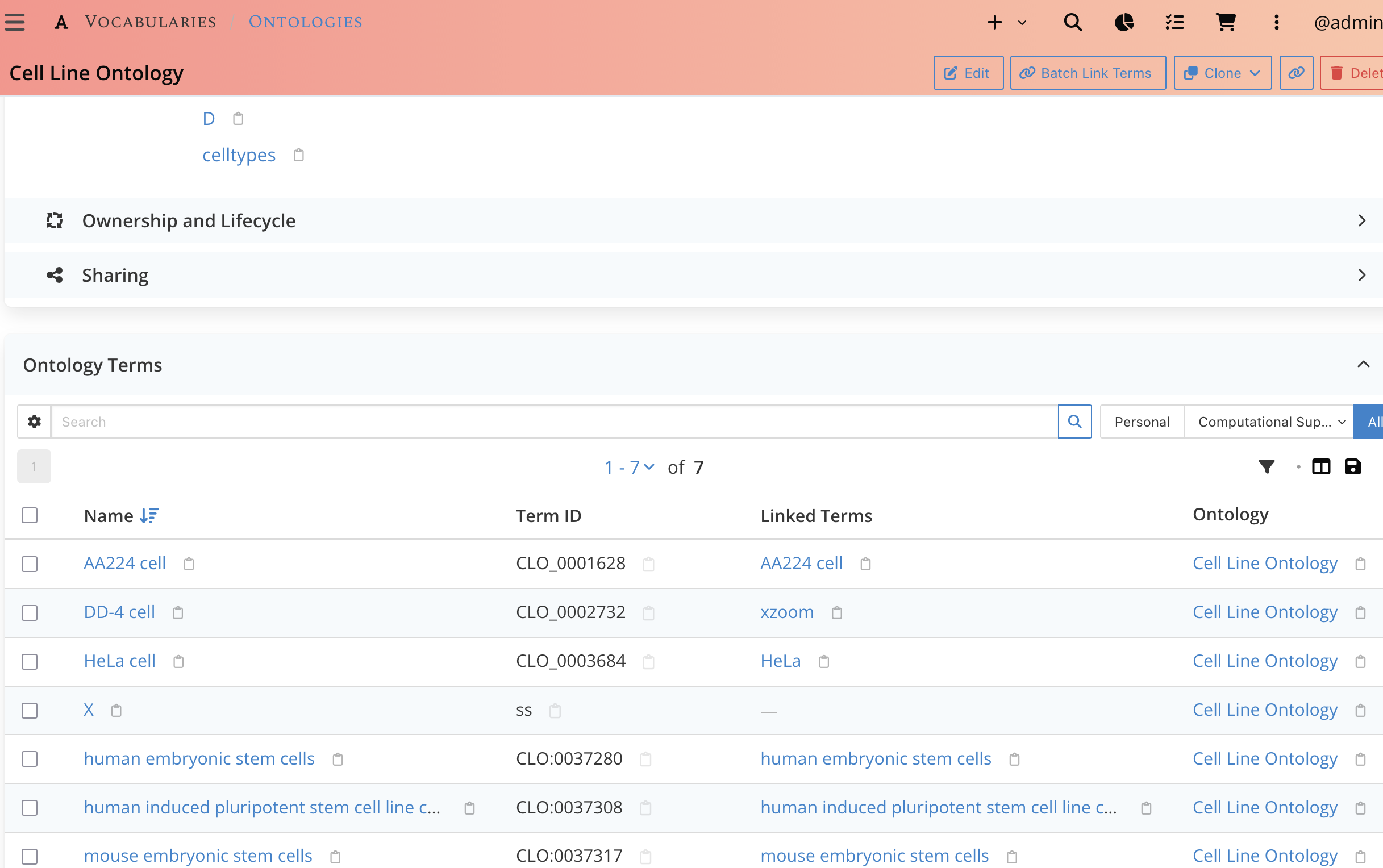
Ontology Terms panel, with the vocabulary terms linked to each ontology term.Access rules at a glance
| Action | Who |
|---|---|
| Search OLS terms | any authenticated user |
Create / edit / delete an Ontology |
administrators |
| Manage a category's ontology sources | administrators |
Import an ontology term (also creates a CV Term) |
administrators |
Link an existing CV Term to an ontology term (single or batch) |
administrators |
| Add a missing term from an approved ontology, per category | planned — not available yet |
Imported ontology terms and the vocabulary terms created alongside them are always
public. Ownership follows the container (the Ontology or the CV Category), not the
person who ran the import; that person is still recorded as the creator.
Keeping terms up to date
A term's description and its obsolete flag are captured at import time. There is no automatic re-synchronisation with OLS yet — re-import a term to refresh it.