Publishing a Galaxy workflow
If you want to import a workflow from a Galaxy instance into LabID, this workflow should be "published" on the galaxy instance. The steps to publish a Galaxy workflow are described below.
Alternatively, if you already executed this workflow, you can import the workflow invocation in LabID, which will automatically create a corresponding workflow in LabID.
To publish a Galaxy workflow,
- first login into your account on the Galaxy instance
- go to the workflow section on the left of the interface
- select the tab My workflows
- for the workflow you want to publish, click the "share" icon
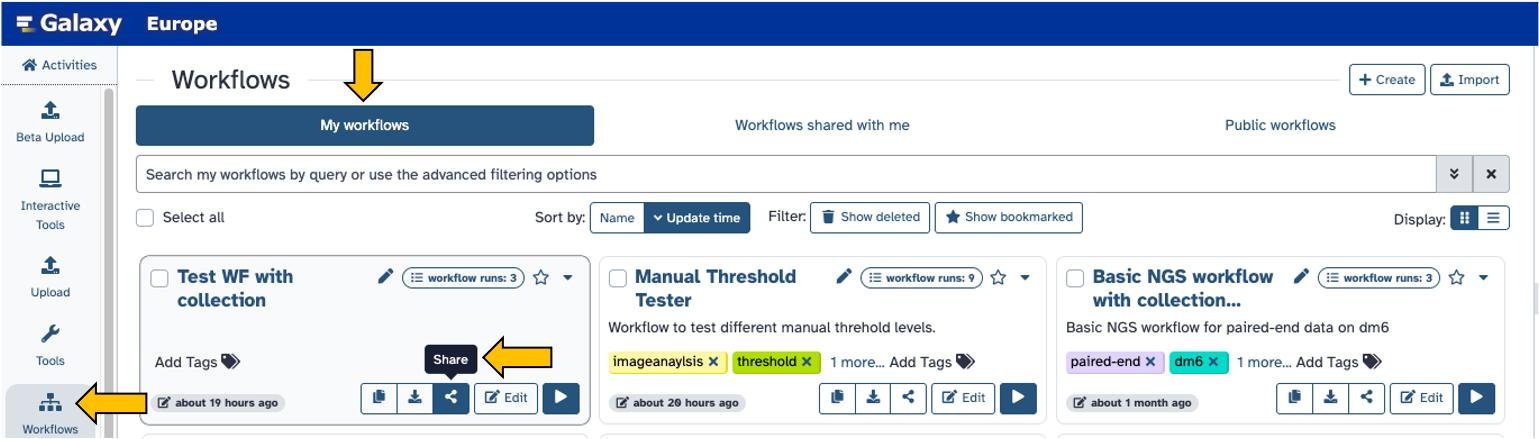
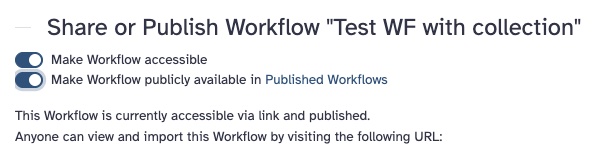
On the following page, toggle the 2 options :
- Make workflow accessible
- Make Workflow publicly available in Published Workflows
Now navigate to the list of published workflows (you can directly click on the link in the text of Make Workflow publicly available).
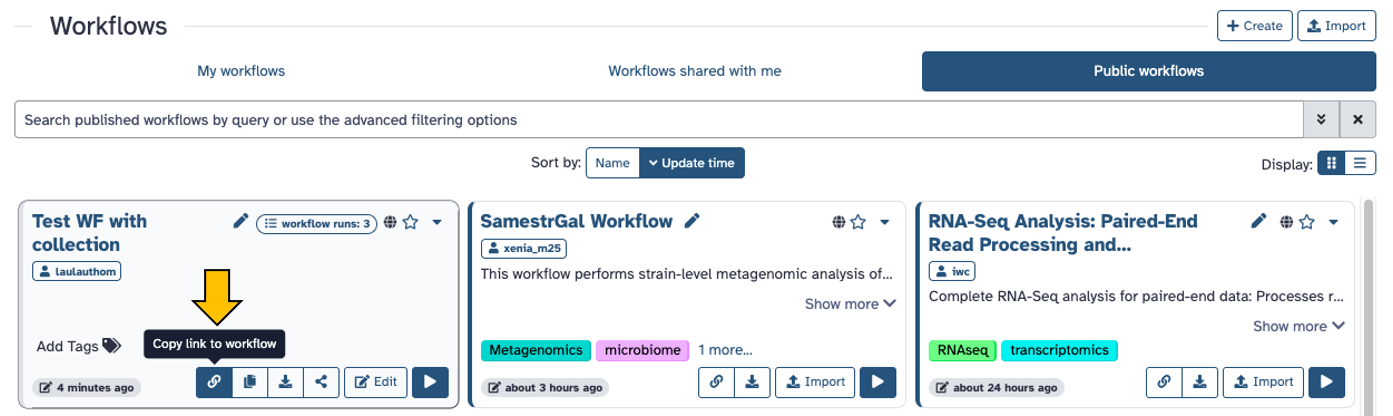
You should now see the workflow you just published, with a new icon to copy its link.
This link is the one to use to import this workflow in LabID (see import Galaxy workflow from URL).