The Annotation Module
The annotation module lets you describe important attributes of items not covered by the default set of properties.
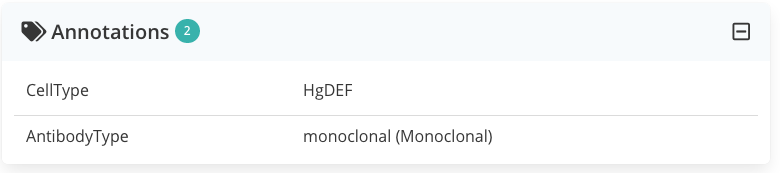
While item properties are meant to be universally relevant within a given category or sub-category, annotations are more flexible, and let you describe aspects relevant to you or your group.
Every item can be annotated assigning to a defined annotation property (free text or controlled vocabulary, when applicable).
For instance, one can annotate an antibody with its type (e.g. monoclonal, polyclonal). Types are controlled terms that are proposed via a dropdown
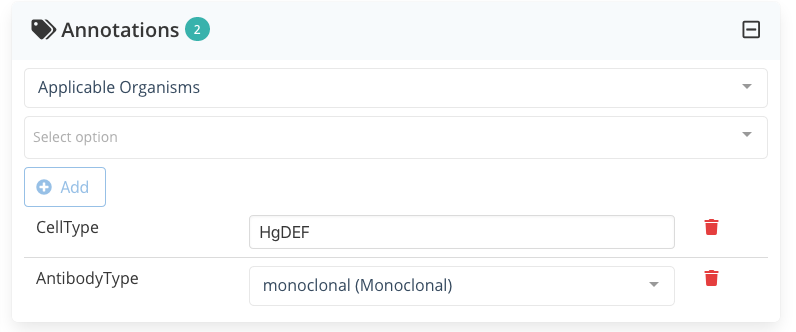
Applicable Organism). The value to associate with the type is to be selected in a second dropdown (here displaying Select Option). Already registered annotations (bottom) can be modified using the associated dropdown or removed clicking on the trash iconNote
Annotations are saved immediately (without actively having to save the changes).
Custom annotations
The need for annotation
Let's imagine you adopted a system using different tube colors to organize your antibody collection.
Since this information is pretty irrelevant for other groups, your admin should not add a new "Tube color" property visible to all but rather create a new "Tube color" annotation type that will allow you to track this information in LabID.
Adding a new annotation type (Admin)
Admins can easily add a new annotation type from Annotations › Annotation Types. If you need a new annotation type, simply get in touch with your LabID admin and provide:
- a name and a label (label is what users see)
- a field type (free text, number, date, linked user, vocabulary term, linked object, JSON, ...)
- a multiplicity (single or multiple values)
- a textual description that will be used as a help (tooltip)
For controlled-vocabulary field types you also need to provide the list of accepted terms (the CV Category).
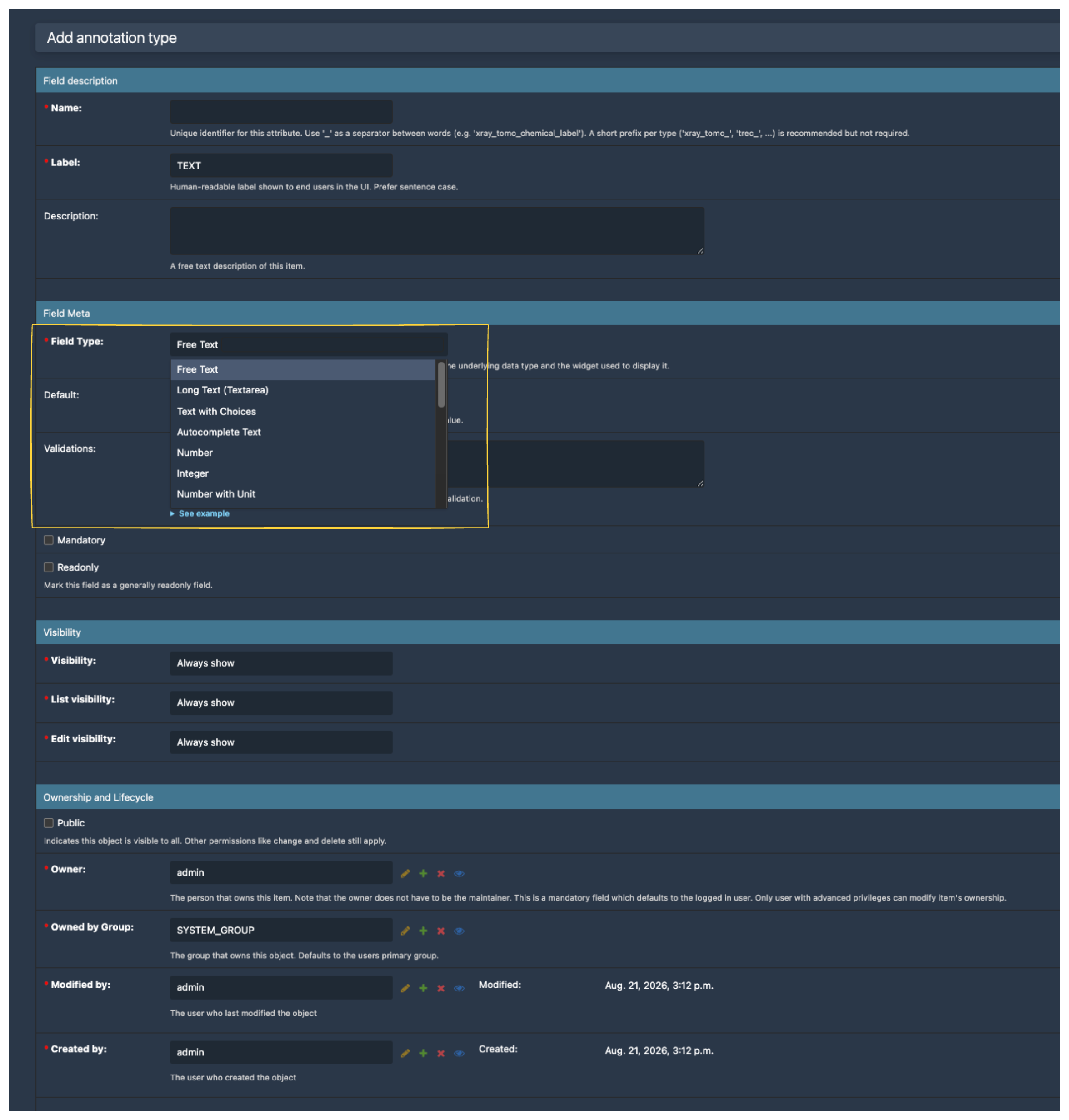
The form auto-adjusts to the chosen Field type: picking Vocabulary Term reveals the CV Category and Multiple selectors; picking Number with Unit reveals the Unit choices selector; picking Linked Object reveals the Allowed object types selector — you only see the options that apply.
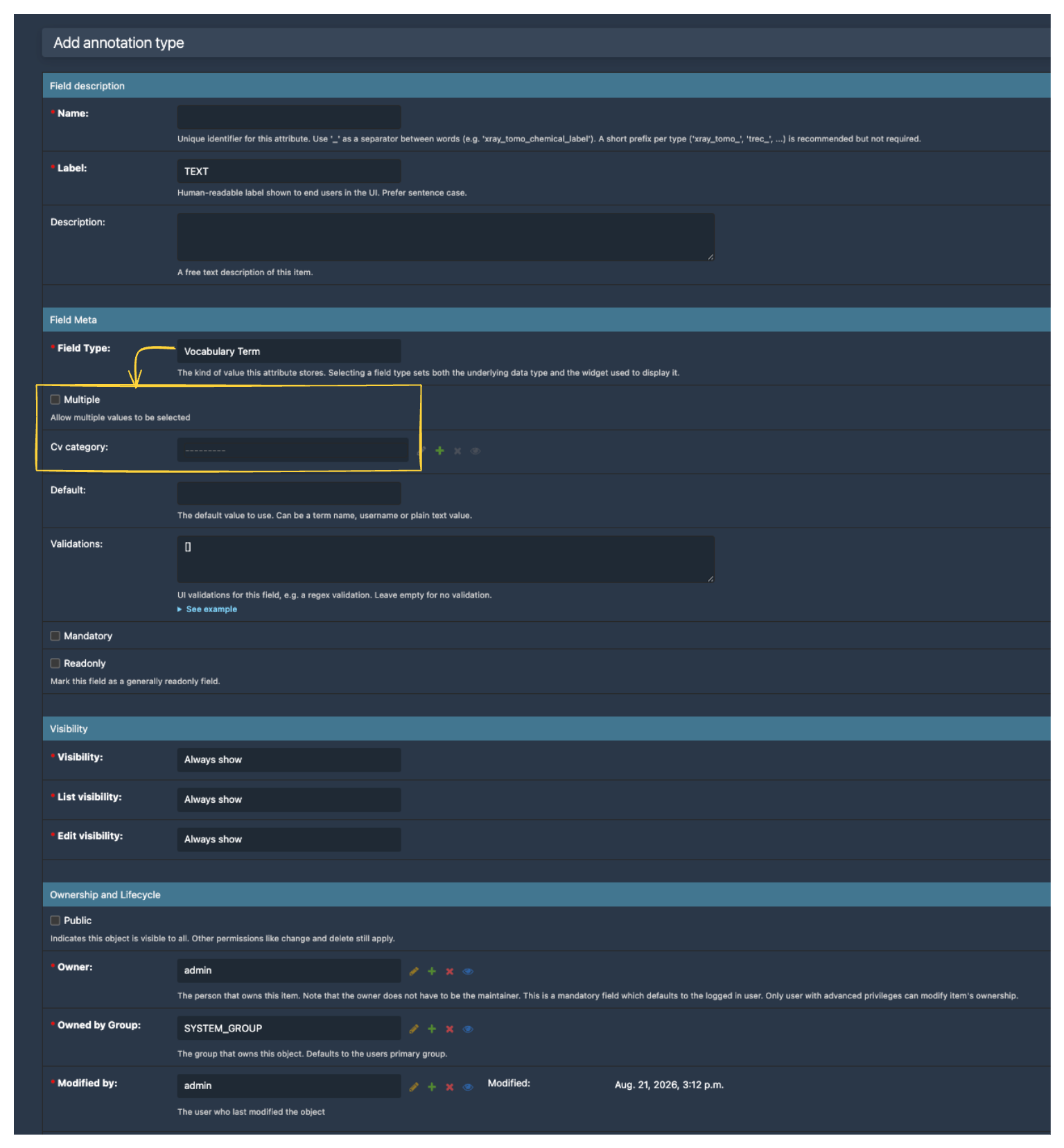
Field type, the form dynamically reveals only the sub-options relevant to that type.Annotation Type vs. Custom Property Type
An Annotation Type is a reusable field definition that can be attached to any item as an annotation. A Custom Property Type is scoped to a specific model (and optionally a specific subtype), and appears directly as a first-class field on that model. Both share the same form layout — the Custom Property Type form just adds an extra Applicable to section for the target model.