Hands-on - Import a workflow invocation from Galaxy
- 20 min
- Easy
LabID supports importing workflow "invocations" (or "run") from a Galaxy instance (public or institutional instance).
The import currently creates a workflow run in LabID with a link to the workflow invocation in Galaxy.
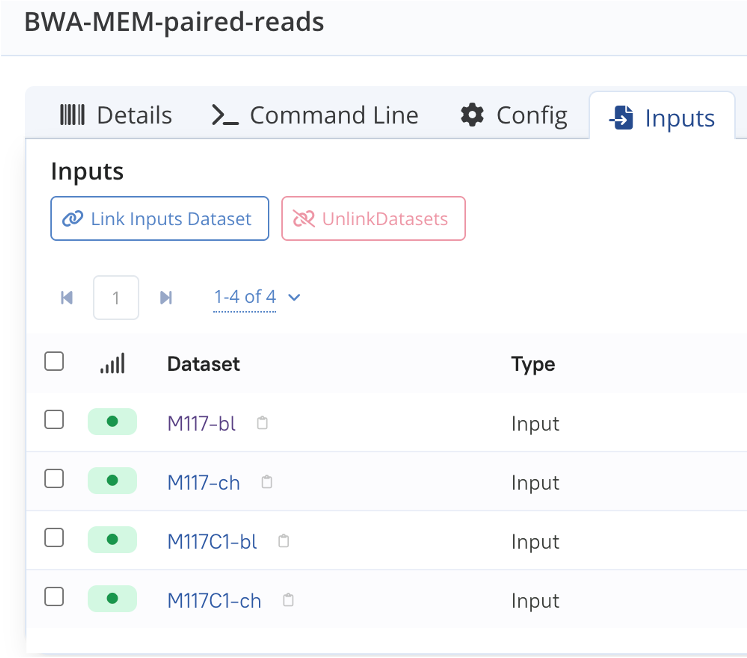
Input datasets that can be traced back to existing datasets in LabID will be automatically associated; however, output datasets are not automatically registered currently.
Below are the steps to import a workflow that was executed in Galaxy.
Example workflow
This tutorial is illustrated with an example workflow, corresponding to the first part of this Galaxy tutorial Using dataset collections in Galaxy.
Concepts: Workflow, Workflow Version, Workflow Run
- Workflow
- A top-level identifier for one or multiple Workflow Versions. It carries metadata common to all versions (name, license, programming language...).
- Workflow Version
- A specific version of a Workflow, with its own set of files. It can reference the external repository it was imported from (a Git repository, a WorkflowHub entry, or — as in this tutorial — a Galaxy instance).
- Workflow Run
- Documents the execution of a Workflow Version on some input data. This tutorial creates one by importing a Galaxy invocation directly.
See Workflows and Workflow versions for the full reference.
Step 1 : Setup your LabID account to use Galaxy
First make sure that you have associated your Galaxy account to your LabID user.
See Setup Galaxy.
Step 2 : Workflow invocations in Galaxy
- go to your Galaxy instance and navigate to the Workflow Invocations page via the navigation menu on the left
- click on the button Open Invocations List to see the full list of passed workflow invocations
- expand the invocation you would like to import in LabID, using the arrow on the left of the workflow invocation
Navigating to the list of workflow invocations
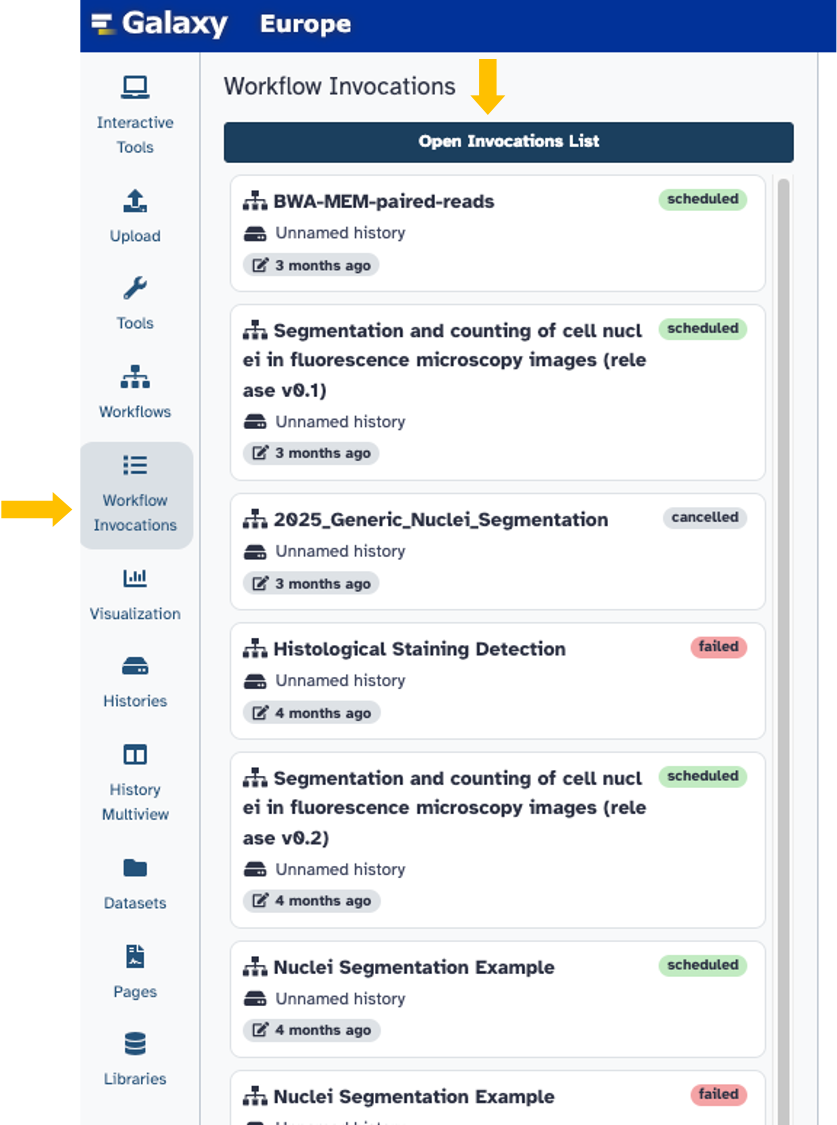
List of passed workflow invocations

Step 3 : Copy the invocation ID
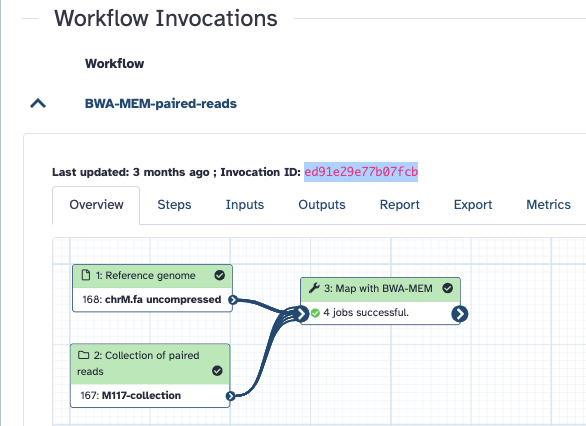
From the expanded workflow invocation, copy the invocation id (highlighted in the screencapture below).
The workflow invocation, with its id highlighted
Step 4 : Back in LabID
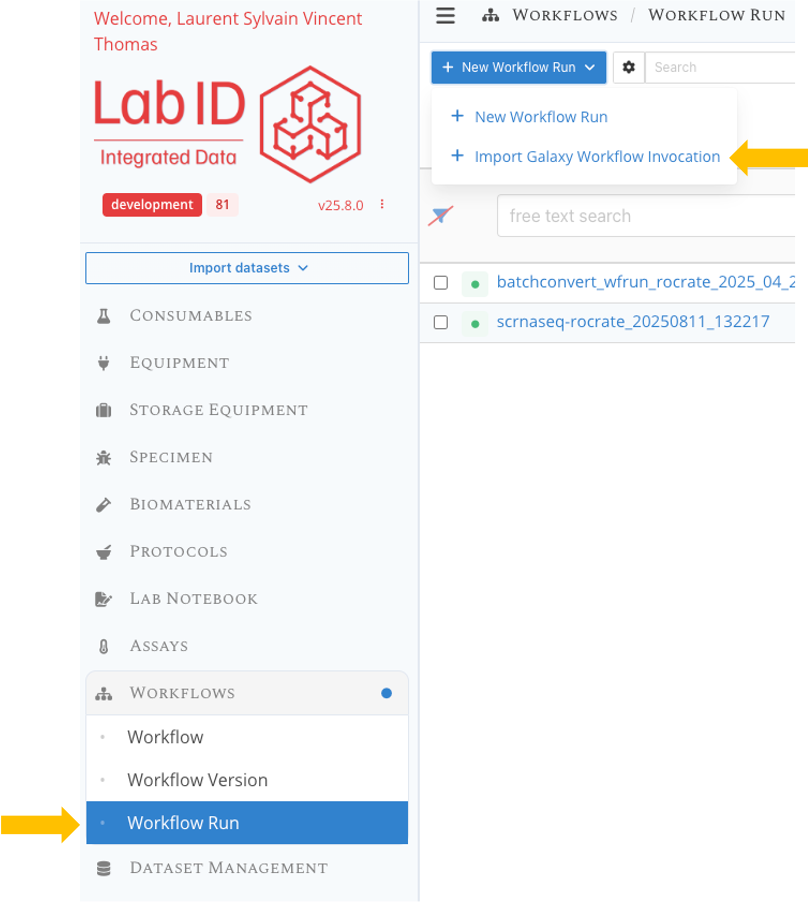
- Back in LabID, navigate to the list of Workflow runs via the menu on the left.
- At the top left, click the dropdown button + New workflow run then select Import Galaxy workflow invocation.
Importing Galaxy invocation in LabID
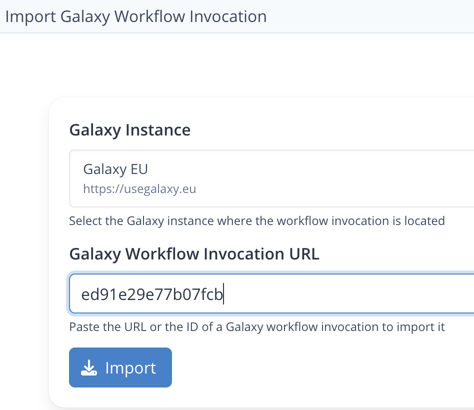
In the following import page,
- select the Galaxy Instance from which you want to import
- paste the id of the invocation copied at the previous step
- Click Import
You can also paste the full URL to the workflow invocation in Galaxy, which is the page shown when clicking on the title of a specific workflow invocation.
The import page, accepting either the invocation id or its URL
Resulting workflow run
Below is the newly created Workflow Run entry corresponding to the workflow invocation.
Note the special Galaxy annotation, which retains the link to the workflow invocation in the Galaxy instance.
Currently the implementation is such that the data used or produced by the run in Galaxy is not automatically registered in LabID.
Only input datasets of the run that were previously synchronised to the Galaxy instance will be associated to the run.
To address this, one alternative is to download a RO-Crate for the run from Galaxy, and use the LabID command line interface to update the workflow run in place.
This is described in the next paragraph.
The resulting Workflow Run
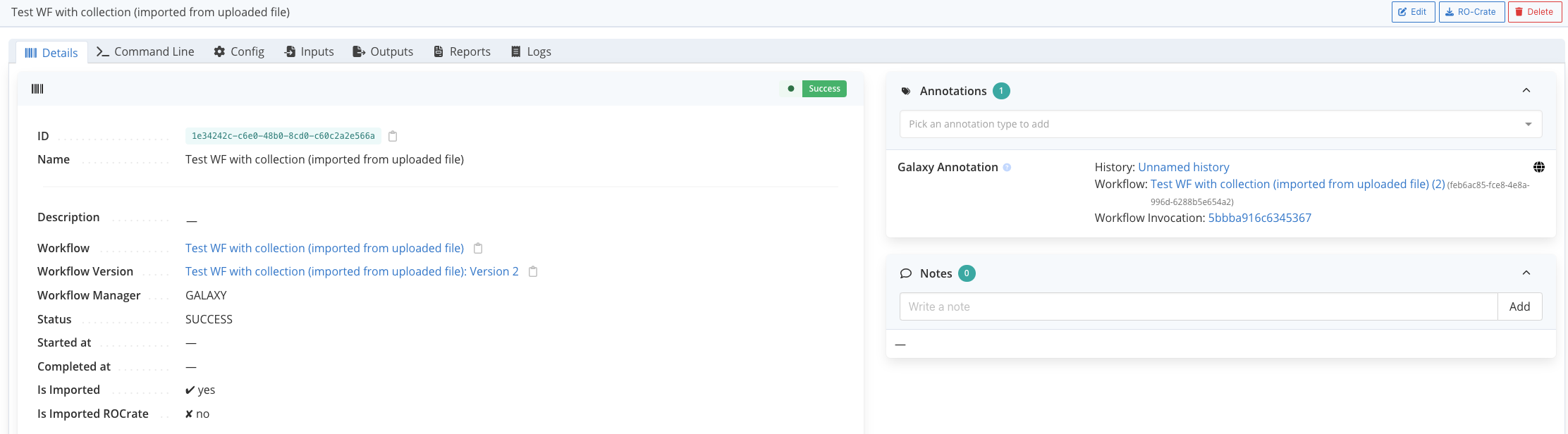
A Workflow Version is automatically created on first import!
If it's the first time a workflow invocation using this galaxy workflow is imported, an associated Workflow Version (and parent Workflow) are created in LabID upon the import of the galaxy invocation.
Step 5 (optional): Use the LabID CLI to register the data associated to the run
We will use the LabID command line interface (CLI) to register the Workflow Run RO-Crate of the run, and update the existing run in LabID with the data contained in the crate.
First, you will need to install the LabID command line interface, see Getting started with the CLI.
Step 5.1 : Download the RO-Crate for the run from Galaxy
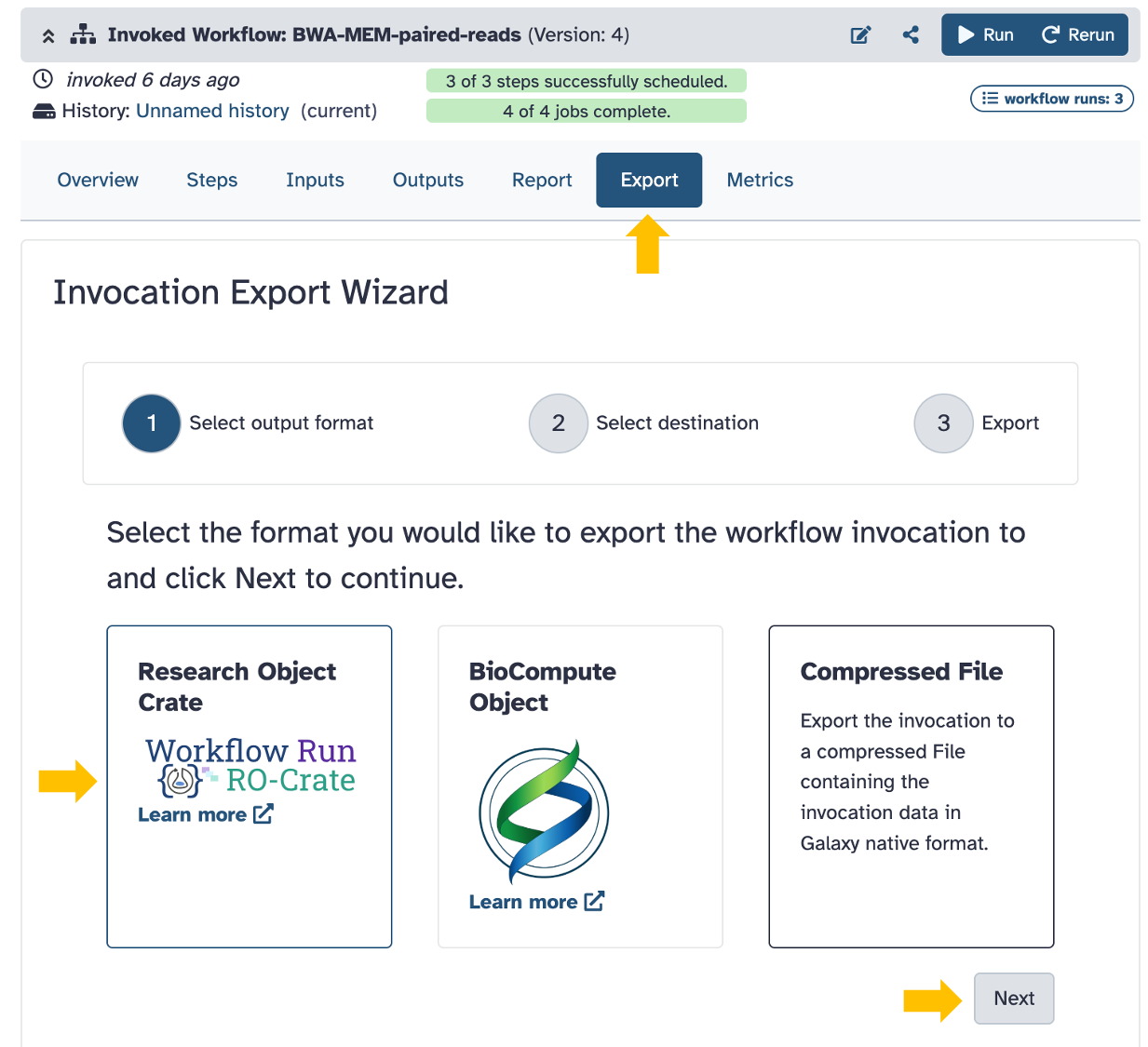
To download the Workflow Run RO-Crate for the run :
- On the Galaxy instance, go to the page of the workflow invocation (see step 2).
- click the Export tab and select the Research Object Crate format, then click Next
- on the next page, select Temporary direct download
- on the next and final page, you can directly click "Generate Download Link"
The download of the RO-crate to your Downloads directory should start.
Exporting the RO-crate for the run from Galaxy
Step 5.2 : Register the workflow run RO-Crate
Once you have downloaded the RO-Crate from Galaxy,
- on the page of the original workflow run in LabID, click on the icon next to the field
IDto copy it. Save this ID for later, for instance by pasting it to a text editor - using the menu on the left, go to Dataset Management > Studies to get to the list of studies
- choose a study in which you want to register the datasets associated to the run, and copy the study ID by clicking the next to the name of the study. Also save/paste this ID.
- copy the zip of the crate from your Downloads directory to your LabID user-dropbox
- unzip the crate
- open a terminal in your user-dropbox
- run the following command, replacing :
<wfrun-ID>after--workflow-runwith the ID of the workflow run<study-id>with the ID of the study<my-run.rocrate>with the name of the unzipped directory
 labid register wfrun-crate --workflow-run <wfrun-ID> \
    -s <study-id> \
    -i <my-run.rocrate> \
    --parent-children-matching DATASET_NAME \
    --no-input-datasets-in-labid
You can now refresh the workflow run page in LabID.
If you click the input/output dataset tabs, you should see that newly created datasets are now associated to the run.
The newly registered input datasets, associated to the run