Overview
An assay records how a scientific instrument was run to consume samples and generate data. It sits between the input (Sample) and the output (Dataset) in the lineage of every experiment tracked in LabID, capturing the platform, chemistry, run parameters and any other metadata needed to reproduce or publish the result.
Paired-end sequencing assay
A paired-end sequencing assay records a sequencer (instrument) consuming a sequencing library (sample) to generate two FASTQ files (a dataset).
Assay in the sample lineage
The assay is the join between input and output:
- Sample Assay Dataset
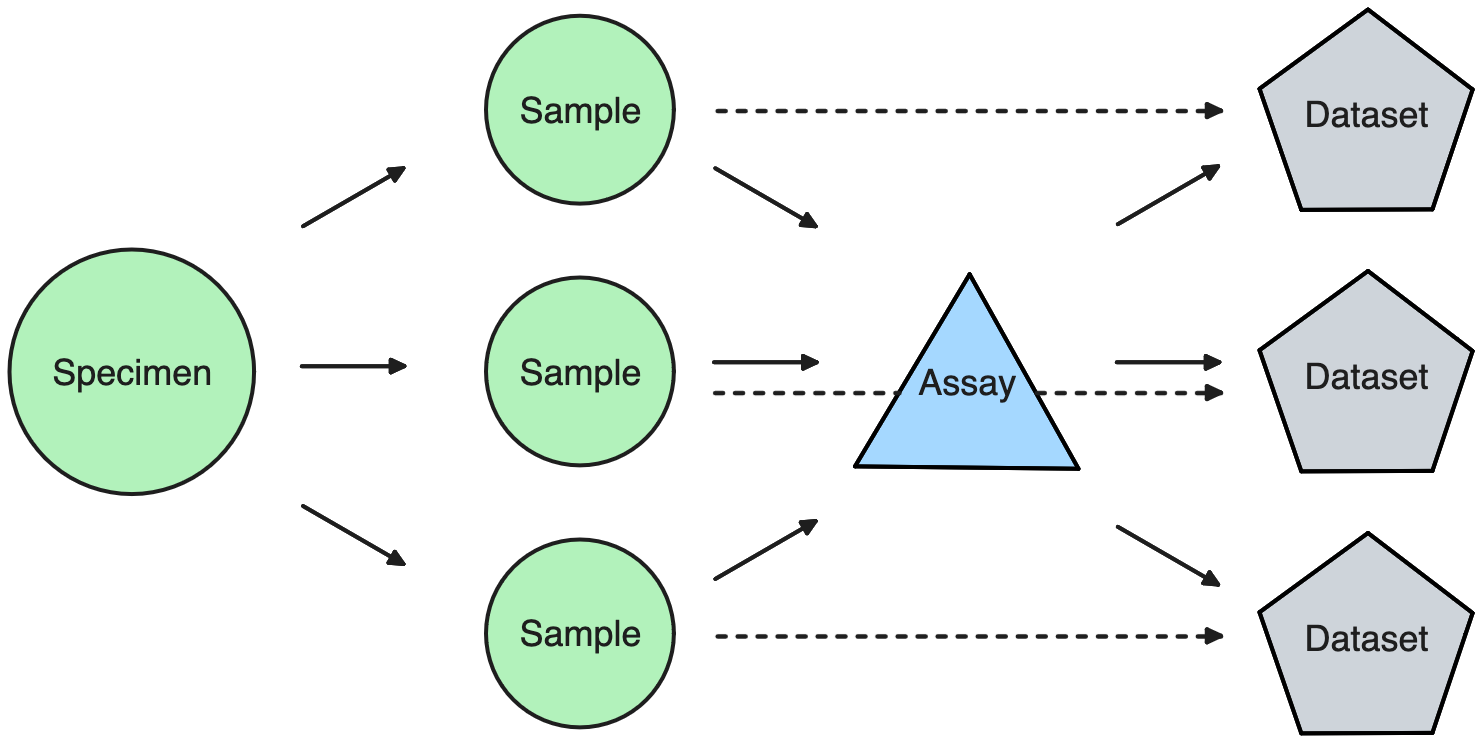
Because the assay carries the technology-specific metadata (flowcell, chemistry, imaging channel, mass range, …), the sample model can stay technology-agnostic and the dataset stays a plain file container. See Supported platforms & technologies for the built-in list.
Assay types
Assays are strongly typed: each technology has its own assay type with a tailored form. Built-in types cover sequencing (Illumina, Nanopore, PacBio, AVITI), light and electron microscopy, X-Ray (incl. Tomography), Mass Spectrometry (Proteomics, Metabolomics), and a generic Other fallback. Assay types are grouped by Domain
If a technology you use is not on the list, an admin can add a new assay type — see Add a new Assay Type.
Assay lifecycle
An assay carries a state that reflects how far along data registration is. The state is set by the data-loading process — we don't set it by hand. But understanding it helps read what LabID shows on the assay page and what actions you can perform.
Five states, four transitions:
| State | Meaning |
|---|---|
NEW |
Just created. Metadata being filled in; no run_dir on disk required yet. |
INCOMING |
Data acquisition is under way. run_dir must be set — the system is watching the directory for the incoming files. |
INITIALIZED |
Files landed in run_dir (path exists on disk). Most fields are now locked; only ownership and permissions can still change. |
REGISTERED |
Data is officially registered against the assay. Terminal state; the record is immutable except for admin edits. |
TEMPLATE |
Parked as a blueprint for cloning into new assays. Cannot have a run_dir and never transitions further. |
Allowed transitions:
NEW ──► INCOMING ──► INITIALIZED ──► REGISTERED
 │                                        ▲
 └────────────── (fast-path) ─────────────┘

TEMPLATE ──► (no transitions — clone-only)
Which path an assay takes depends on how the data is loaded:
- Managed / incoming data (e.g. EMBL GeneCoreFacility imported Illumina runs, other trusted sources): the assay is created
NEW, moved toINCOMINGas soon asrun_diris set, then toINITIALIZEDwhen the files actually appear on disk, and finally toREGISTEREDonce the user confirms the metadata. This is the long path with the built-in "waiting for data" step. - Manual raw-dataset registration: the user already has the files, provides them together with the metadata, and the assay jumps straight from
NEWtoREGISTERED. - Template creation: the assay is parked at
TEMPLATEand is only ever used as a starting point for cloning — see Templates.
run_dir is the gate to registration
Every transition out of NEW (except the fast-path directly to REGISTERED) requires run_dir to be set, and INITIALIZED / REGISTERED additionally require it to exist on the filesystem. If a transition is refused, checking run_dir is usually the first thing to do.
Related topics
- Assay templates & cloning — reuse an existing assay as a starting point.
- Assay directory permissions — control who can read raw and processed files under an assay.
- Dataset Management — the broader flow around datasets and studies.